
On This Page
- Signs Your Team Has a Call Volume Problem
- Queue Calls Instead of Letting Them Ring Out
- Offer a Callback Instead of Hold
- Set Up Overflow Routing
- Send Calls to the Right Person First
- Watch the Queue Live
- Use Reports to Staff Busy Times
- Equipment That Helps
- Which Setup Fits Your Team
- Common Questions
- Talk to Our Team
- Related Guides
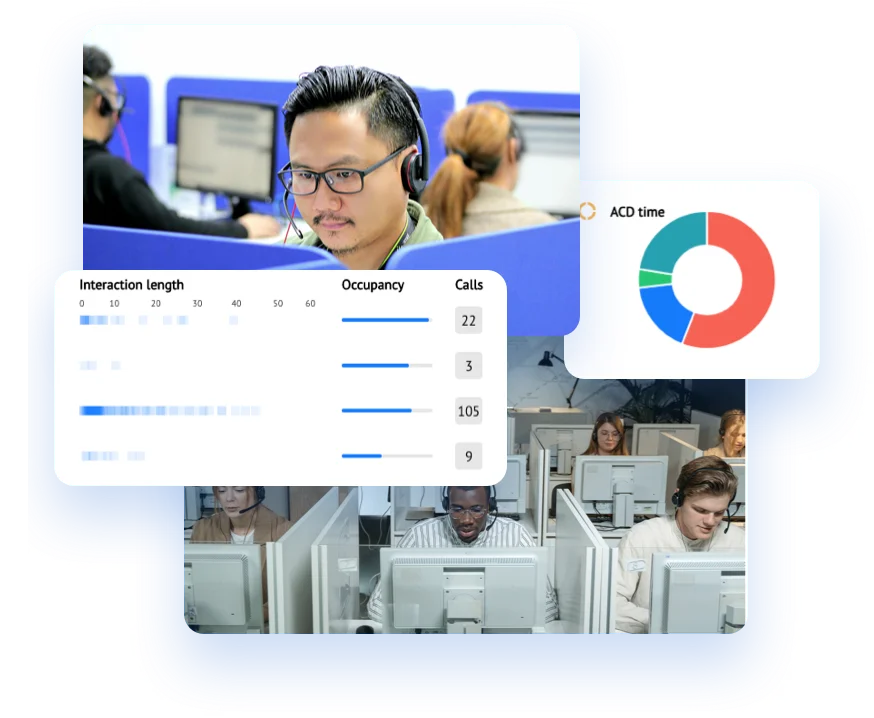
To handle high call volumes, set your phone system up so calls wait in a queue instead of ringing out, overflow to other staff when the queue gets long, and give callers the option of a callback instead of holding. Then use live wallboards and call reports to staff your busy times. A call centre phone system does all of this, and our cloud phone systems include the same tools for smaller busy teams.
Signs Your Team Has a Call Volume Problem
- Calls ring out or go to voicemail at busy times.
- Customers call several times before they get through.
- Reception can’t step away from the phone.
- Nobody is sure who is taking which call.
- You can’t say when your busiest hours are.
Queue Calls Instead of Letting Them Ring Out
A call queue holds callers in line until someone is free, instead of sending them to voicemail or an engaged tone. While they wait, callers can hear their position in the queue and an estimated wait time, with music or messages on hold. Calls are shared across everyone in the queue, so one busy person doesn’t leave a caller stranded.
Offer a Callback Instead of Hold
Long hold times are where callers give up. With callbacks, a caller can choose to be rung back instead of waiting on hold, and the system calls them when someone is free. Callers can also leave a voicemail, which arrives by email.
Set Up Overflow Routing
Overflow routing decides what happens when the queue gets too long or a caller has waited too long. Calls can move to:
- Another team or office
- Staff mobiles, through the phone system’s mobile app
- Voicemail to email, outside business hours
Business-hours routing changes these rules automatically, for example sending calls to an after-hours team in the evening.
Send Calls to the Right Person First
Every transfer adds to the wait, so route calls correctly the first time:
- IVR menus: recorded prompts ask callers what they need, by keypad or speech, and handle simple questions.
- AI receptionist: answers your main line, handles common questions, takes messages and routes callers, after hours or 24/7.
- Automatic call distribution (ACD): sends each call to the next available person based on rules you set.
- Skills-based routing: matches the caller’s need to staff with the right expertise.
Watch the Queue Live
Live wallboards show how many calls are waiting and which staff are available, so a supervisor can see a queue building and move people onto the phones. Supervisors can also listen in on live calls to coach staff, and call recording lets you review calls for training and quality.
Use Reports to Staff Busy Times
Call reports show call volume, average handling time and service level, by hour and by day. Wrap-up codes and call categories show why people are calling, and CSV exports put every metric into your own spreadsheets. If Monday mornings always queue, roster an extra person then, or fix the reason behind the calls.
Equipment That Helps
Busy teams get through calls faster with a good headset and a phone that shows who’s free. Desk phones with busy lamp keys let reception see at a glance who is on a call, then transfer or park calls. The Yealink T85W supports up to 84 of them. We supply call centre headsets from Jabra, Poly and Yealink.
Which Setup Fits Your Team
- A busy office or reception desk: a cloud phone system with queues, callbacks and wallboards.
- Dedicated agents and high call volumes: a call centre phone system with ACD, skills-based routing, live monitoring and full reporting.
- A team that works in Microsoft Teams: Teams Calling with VoIP Express adds wallboards, real-time reporting and queue management to Teams.
Our call centre work includes more than 600 call centre handsets for Suncorp (AAMI).
Common Questions
What is a call queue?
A call queue holds callers in line until someone is free to answer, instead of sending them to voicemail or an engaged tone. Callers can hear their position and an estimated wait time while they hold.
What is call overflow?
Call overflow moves calls to another team, office, mobile or queue when the main queue gets too long or a caller has waited past a set time.
Can callers get a callback instead of waiting on hold?
Yes. With callbacks switched on, a caller can choose to be rung back instead of holding, and the phone system calls them when someone is free.
Do I need a call centre to use these features?
No. Call queues, callbacks, overflow routing and wallboards are available on cloud phone systems for busy offices and reception desks, not only for dedicated call centres.
Talk to Our Team
We set up call queues, routing and reporting for Australian businesses from our offices in Brisbane and Melbourne. See our call centre solutions, ask for a tailored quote or call 1300 603 404.


