
Brisbane · Melbourne · Australia-wide
We supply and install business-grade video conferencing equipment in Brisbane, Melbourne and across Australia for meeting rooms, boardrooms, medical practices and hybrid offices. We set each room up for clear video and audio on Microsoft Teams, Zoom or Google Meet, whether the meeting is down the hall or interstate. Tell us about your room and we’ll recommend the right setup.
Free, no obligation (privacy policy). Prefer to talk? Call 1300 603 404.
What we deliver
Whether it’s one new room or a standard for every office, we plan each space around how people use it.
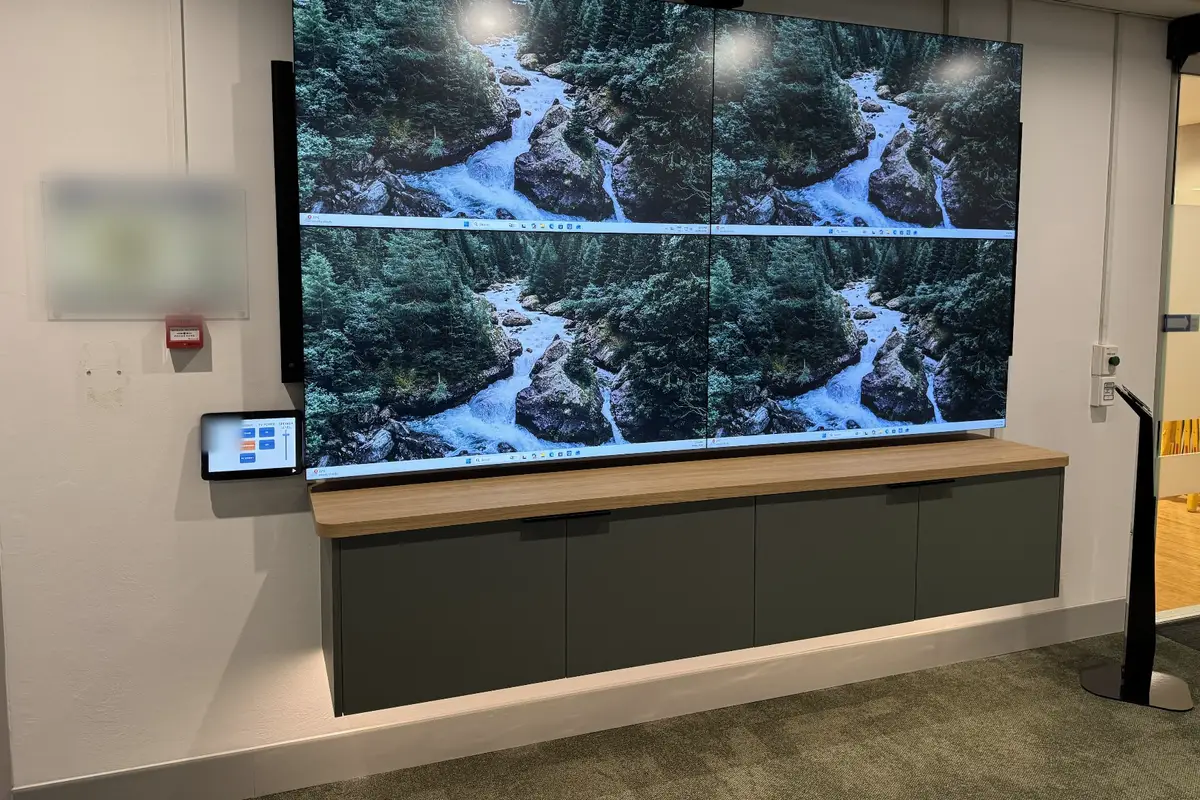
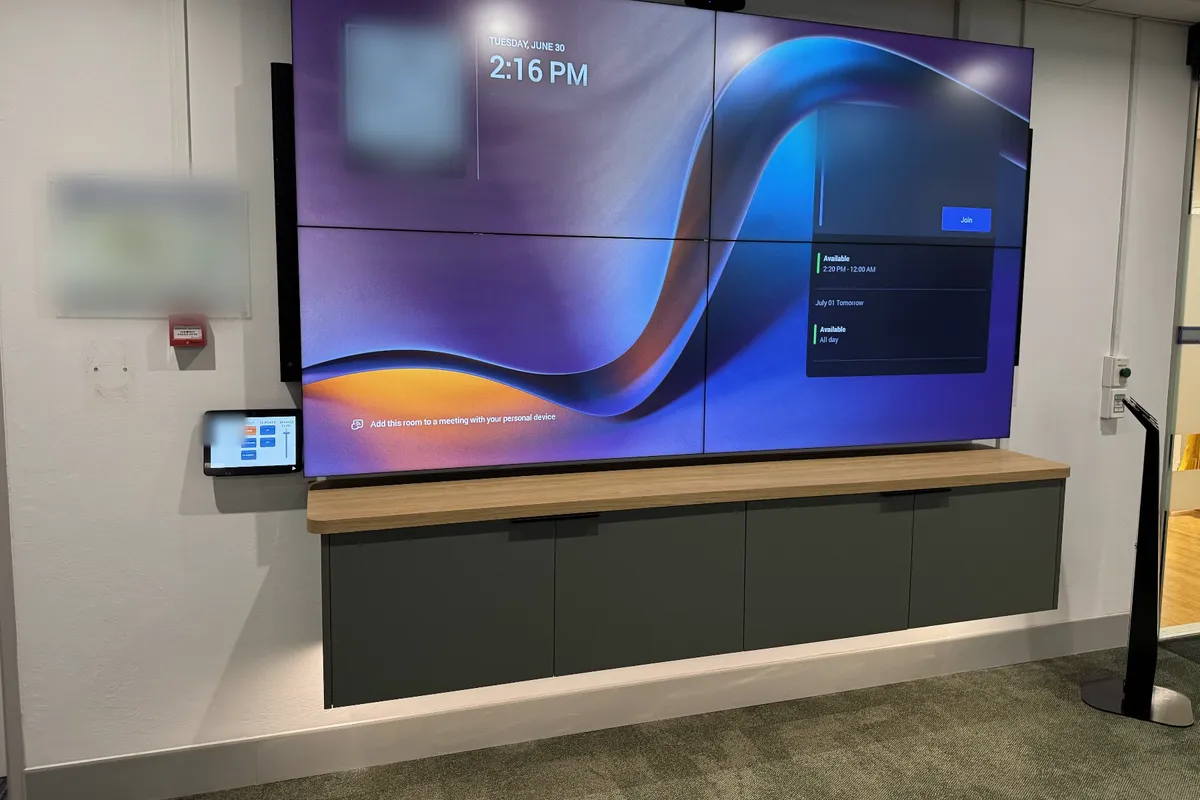 One big screen Four screens
Boardrooms, meeting rooms, training rooms and classrooms, through to auditoriums and town halls.
New displays, cameras and room systems for the rooms you already use, including the move from BYOD (bring your own device) to one-touch Microsoft Teams Rooms.
On larger systems, we work with your team and your contractors to install and commission the equipment.
One room standard across several offices, so staff find the same setup at each site.
Displays across multiple sites, video distribution and video walls.
BYOD setups and trolley-based systems that can move to wherever they’re needed.
Case study
We reworked a client’s US-standard room specification to suit its Melbourne site, at a lower total cost than the original.
The client sent us a Bill of Materials based on its US meeting room standard. When we reviewed it, some of the specified equipment didn’t suit the rooms or the way they would be used.
We worked with the client to redesign the scope around the site’s needs, refining the hardware and simplifying the approach. We visited the site to confirm the final scope and coordinated the installation through our national contractor network.

Reviews
More than 1,000 Australian businesses run their IT, phones or internet with us.
★★★★★
“We engaged Databox Solutions to deliver a video conferencing solution across multiple rooms, integrated seamlessly with Microsoft Teams. From start to finish, the experience has been excellent.”
★★★★★
“Value Added Meats has been using Databox Solutions for our phone, internet and managed IT services for over 5 years. They have been able to tailor to our unique needs seamlessly.”
★★★★★
“We’ve been using Databox for our business telephone and internet services for almost 6 months now. We were so impressed that we switched our home internet over too.”
Why us
Supporting Australian businesses since 2017.
One project manager runs your job from start to finish, so you don’t get passed between sales, technical and admin teams.
We place microphones, set camera angles and plan single or multi-screen layouts around the room’s size, acoustics and seating.
We work with partners on custom cabinetry and concealed cabling, so switchers, codecs and network gear stay out of sight.
Tabletop touch panels start Teams and Zoom meetings, with options to control the room’s lighting, blinds and power.
We choose equipment to suit your meeting platform, your standards and your budget.
Remote monitoring and L1-L3 support after the install, with on-site visits when needed. After-hours support is available as an add-on.
Industries
How it works
We visit your site and look at the room layout, the number of participants and how the room is used.
You get a recommendation that suits your room and budget, with installation quoted separately. Where the project needs them, we provide line drawings and elevations so everyone can see what’s being installed.
Our technicians mount, cable and configure the equipment and connect it to your platform.
We show your team how to start meetings and share their screens.
Remote and on-site support, maintenance and upgrades from our Australian team.

Room packages
Start with the size of the room and the number of people who use it. We match the camera, audio and screens to that, then quote the whole setup.

Up to 6 people
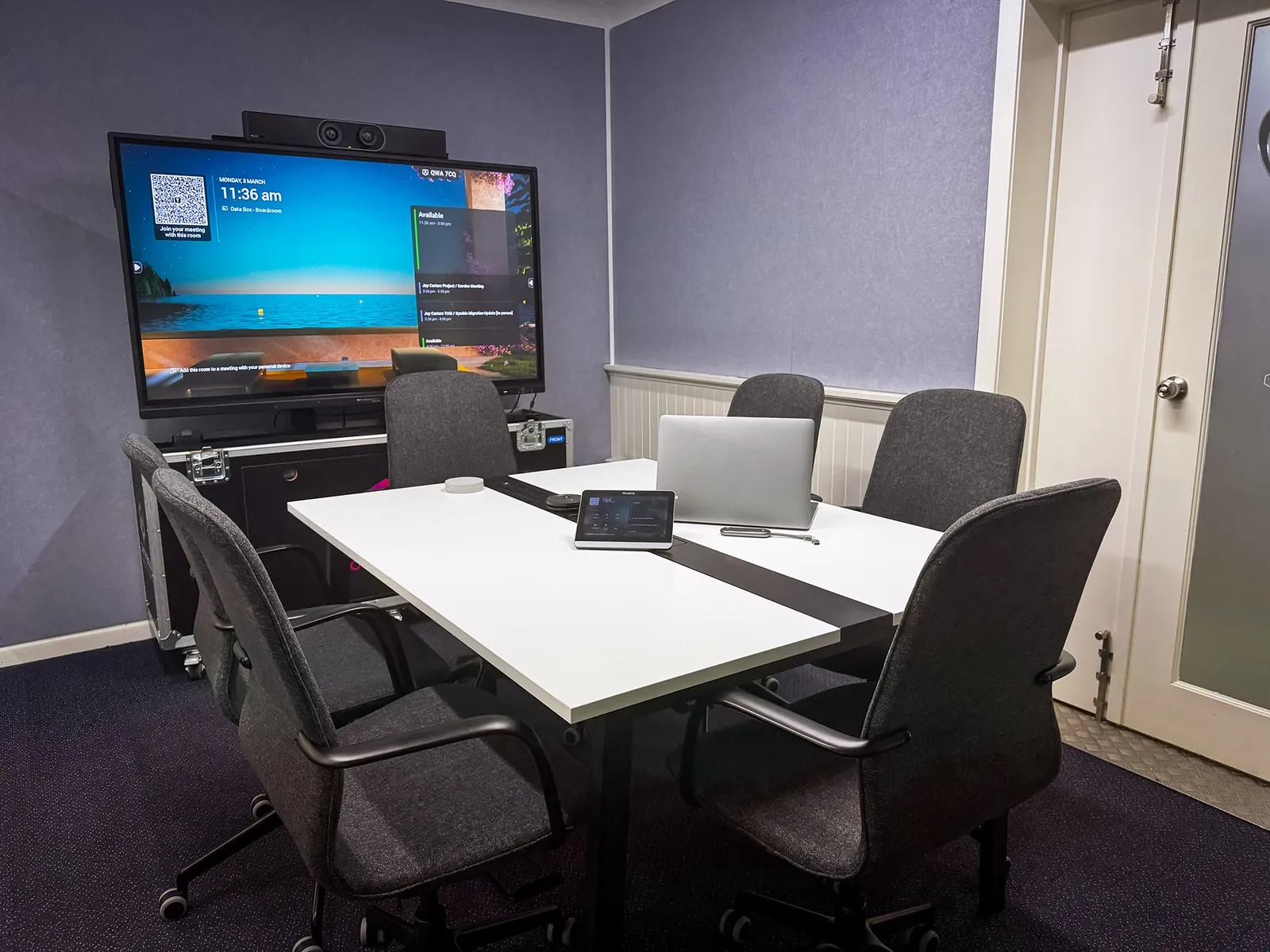
Huddle rooms are usually about 3m x 3m, which suits a single display mounted at eye level. An all-in-one video bar with built-in speakers, microphones and a wide-angle camera covers the room, and it’s plug and play.

Up to 10 people
A room of around 4m x 8m seats up to 10, and some people sit well back from the camera. That calls for a more capable camera and speakerphone and a larger display, so people further from the camera can still be seen and heard.

10+ people
For boardrooms, large meeting rooms and training rooms of about 6m x 12m or more. We design the camera and microphone coverage around your room, including the seats furthest from the screen.
Every package is quoted for your room, and installation is quoted separately. Options include wireless content sharing, dual-screen setups, startup training and ongoing support.
Popular equipment
We often recommend these all-in-one video bars for small and medium rooms. We’ll confirm the right model once we know your room.

Small rooms
A conference room camera that’s simple to set up. Its 180° field of view makes the most of small meeting spaces.

Medium rooms
An all-in-one video bar with a 20MP 4K Ultra HD camera, a 95° field of view and Poly DirectorAI smart camera technology. A good fit for medium conference rooms.

Medium rooms
An all-in-one collaboration bar running Microsoft Teams Rooms on Android. It’s plug and play, which keeps setup simple.

Huddle rooms
An all-in-one video bar built for huddle rooms and small spaces, shown here with the Logitech Tap IP touch controller.
Meeting room installations
We fit out meeting rooms, boardrooms, training rooms, classrooms, medical practices and hybrid offices, as well as larger spaces like auditoriums and town halls. Jobs range from a single huddle room to rollouts across several sites. Our team supplies the equipment, installs it and connects it to your meeting platform.
Good video conferencing lets teams in different locations make decisions together without waiting for the next trip. People tend to take part more when they can see and hear each other properly, and you can cut down on travel. We tailor each setup to your sector, from healthcare to government.


Brands
Video bars, cameras, microphones, displays and room systems from these manufacturers, set up for the meeting platform your team already uses.













Key features
Professional audio and video equipment, built for a room that’s in use all day.
IT EquipmentHigh-definition cameras and room microphones help remote attendees see and hear what’s happening in the room.
Microsoft Teams, Zoom, Google Meet and other popular platforms, configured for the one your team uses every day.
Teams Rooms GuidePut a laptop on the room display without hunting for the right cable.
Work on an electronic whiteboard together in real time. It suits brainstorming sessions with people in the room and online.
Interactive WhiteboardsStart meetings from the touch panel on the table, and add booking screens so staff can see when a room is free.
A complete setup usually includes a camera, microphones, speakers or a soundbar, a display and a control system. All-in-one video bars combine the camera, microphones and speakers in one unit, which suits huddle and medium rooms. We can also integrate touch panels, smart whiteboards and room booking systems.
Yes. Our video conferencing equipment works with Microsoft Teams, Zoom, Google Meet, Cisco Webex and other popular platforms, and we can set each room up for the platform your business uses. If you run on Teams, our Microsoft Teams Rooms guide explains how a dedicated Teams room works.
Yes. We offer free consultations, including a visit to your site: we look at your room layout, the number of participants and how the room is used, then recommend the setup that suits it.
Yes. We provide professional installation, system integration and training across Brisbane, the Gold Coast, Melbourne and surrounding areas. For sites further away, we coordinate the installation through our national contractor network, and on larger projects we can work alongside your own contractors.
Yes. We handle multi-room and multi-site video conferencing deployments for businesses, government, schools and healthcare providers. We can standardise the setup across your rooms and manage the rollout from one location to the next. We can also run digital signage and displays across your sites.
We supply Q-SYS, Crestron, Jabra, Shure, Kramer, Yamaha, Poly, Yealink and Logitech, brands known for their reliability in business meeting rooms.
Yes. Our Australian team provides remote and on-site support, maintenance and upgrades for your system. Our helpdesk is open Monday to Friday, 8:30am to 4:30pm AEST.
It depends on the size of the room, the number of participants and the features you need, and installation is quoted separately. We recommend equipment that suits your room and budget, so you don’t pay for features you won’t use. Book a free consultation and we’ll give you a tailored quote.
Reviewed by the Databox Solutions team. Last updated November 2026. About Databox Solutions
Book a free consultation and we’ll recommend a setup that suits your room. No obligation.