
Need help using Microsoft Teams Rooms? Our quick reference guide explains how to start meetings, join with a Meeting ID, share content, and more—perfect for Australian businesses using Microsoft 365.

Transform your meeting spaces with Microsoft Teams Rooms, a powerful solution that simplifies video conferencing and hybrid collaboration. This guide will walk you through everything from setting up your Teams Room to joining, hosting and managing meetings. Whether you're in a small huddle space or a large boardroom, Teams Rooms make professional communication seamless.
Want to learn more about Microsoft Teams Rooms technology? Visit the official Microsoft Teams Rooms site for detailed specifications and updates.


Tap the More (…) button to:
During a meeting, you can:
Tap Layout to switch between:
Our experts at Databox Solutions can help you design, install and manage your Teams Rooms across Australia. We provide custom solutions for hybrid offices, video conferencing and Microsoft 365 environments.
📞 Call us on 1300 603 404 or Enquire Online
Need help using Microsoft Teams Rooms? Our quick reference guide explains how to start meetings, join with a Meeting ID, share content, and more—perfect for Australian businesses using Microsoft 365.

Databox Solutions Recognised as Bitdefender’s Top Performing MSP Partner in Australia We are thrilled to announce that Databox Solutions has been awarded Bitdefender’s Top Performing MSP Partner in Australia! This recognition underscores our expertise in delivering world-class cybersecurity solutions and managed IT services that help businesses thrive in a digitally connected world. As a leading […]

Has your business been impacted by the cyclone? Get back online fast with Databox Solutions’ Disaster Recovery services. We help restore IT systems, data, VoIP, internet, and office hardware.

Keeping Your Business Running During Severe Weather Severe weather events like heavy storms and cyclones can disrupt normal business operations, making commuting unsafe and forcing office closures. Having a secure and reliable remote work setup ensures your team can stay connected and productive, no matter the conditions. At Databox Solutions, we help businesses prepare for […]

Windows 10 support ends on October 14, 2025. Upgrade to Windows 11 for enhanced security, AI-powered productivity, and seamless Microsoft 365 integration. Future-proof your business today!

In today’s digital age, having a reliable internet connection is crucial for businesses of all sizes. The National Broadband Network (NBN) in Australia offers various types of connections, each with its own set of benefits and limitations. In this article, we’ll explore the different types of NBN connections, the advantages of investing in an enterprise-level […]
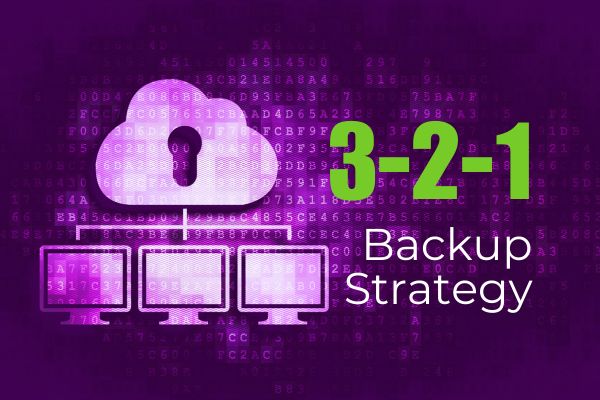
In today’s digital age, data is the lifeblood of any business, especially for small businesses that store crucial information locally or host line-of-business applications on local servers. Ensuring the safety and availability of this data is paramount. One of the most effective ways to protect your business data is by employing the 3-2-1 backup strategy. […]

Integrating Room Controls into Your Meeting Space: Enhance Microsoft Teams Rooms (MTR) with Crestron and Q-SYS In today’s hybrid work era, creating a seamless, efficient meeting environment is key to driving productivity and collaboration. By integrating third-party room control systems like Crestron and Q-SYS into your Microsoft Teams Rooms (MTR), you can transform your meeting […]

In an age of growing cyber threats, safeguarding your business’s data and communications has never been more crucial. Upgrading to Microsoft 365 Business Premium provides robust security tools like Microsoft Defender for 365 and Microsoft Entra, tailored to protect small-to-medium businesses (SMBs) from evolving threats. Let’s explore why this upgrade is a must-have for businesses […]

As storm season approaches in Australia, it’s crucial for businesses to take proactive steps to protect their networks and NBN connections from potential lightning strikes. With the right precautions, you can minimise the risk of damage and ensure your operations remain uninterrupted. Here’s a simple guide tailored to the common NBN connection types: FTTC, HFC, […]

In today’s dynamic workplaces, effective collaboration tools are essential for enhancing productivity. Two popular solutions are standard interactive whiteboards and Microsoft Teams Rooms (MTR)-enabled meeting boards. While both serve to enhance team collaboration, they offer distinct features tailored to different needs. What is a Standard Interactive Whiteboard? A standard interactive whiteboard is a digital tool […]

In today’s hybrid work environment, businesses are constantly seeking the best solutions to enhance their business meeting spaces.Two popular options are Bring Your Own Device (BYOD) solutions and Microsoft Teams Rooms (MTR) solutions. Both have their unique advantages and can significantly impact the efficiency and productivity of your meetings. Let’s explore the key differences between […]