On This Page
- What Exactly Is VoIP? (Let’s Keep It Simple)
- What Is a “Phone With VoIP”?
- What About a Normal Analogue Phone?
- Meet the ATA: The Little “Translator Box”
- And What About Wireless DECT Phones?
- What Is a Softphone?
- So Which Phones Can Work With VoIP?
- Should You Keep the Old Phone or Upgrade?
- You Don’t Have to Figure It Out Alone

Phone with VoIP might seem complicated, but it’s actually easy to understand once you know the basics. Here’s a simple, friendly explanation to help you make the right choice for your business.If you’re wondering whether your normal desk phone can work with VoIP, you’re definitely not alone — a lot of Aussie businesses ask the same thing. And honestly, it makes sense. When you’ve been using something for years, it’s natural to wonder whether you really need to replace it. So let’s walk through this together, as a friend would, and clear up the confusion.
If at any point you’re unsure, you can always reach out to our team at Databox Solutions. We’re here to help, no pressure, no fuss.
What Exactly Is VoIP? (Let’s Keep It Simple)
VoIP just means making phone calls over the internet instead of through the old copper lines. Think of it like switching from sending letters to sending emails — it’s faster, clearer, and works better for modern business life.
- Your calls go through the internet
- No more old wall sockets needed
- Perfectly fits with NBN
- You can use mobile, computer or VoIP desk phones
What Is a “Phone With VoIP”?
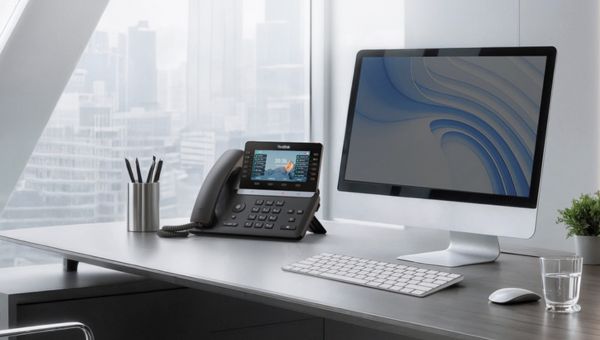
A “phone with VoIP” simply means a phone that’s built for the internet era. It plugs into your network (just like your computer) and talks smoothly with your VoIP system.
If your old desk phone is like a reliable old Holden, a VoIP phone is more like a modern hybrid – smoother, smarter, and designed for today’s roads.
- Also called SIP Phone, IP Phone or VoIP Phone
- Uses an Ethernet (LAN) cable
- Works directly with cloud phone systems
What About a Normal Analogue Phone?
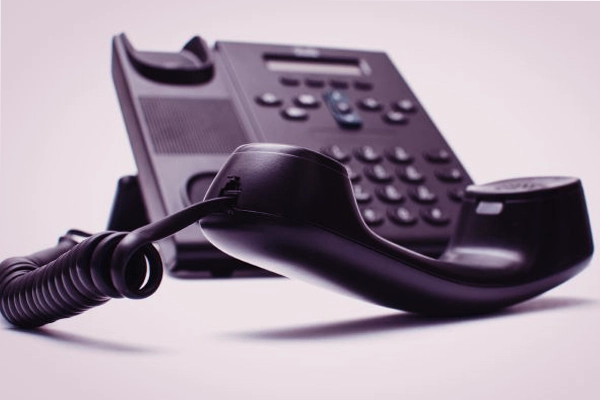
A normal analogue phone is the traditional kind — the one that plugs into the wall. They’ve served us well for decades, but they speak the “old language,” while VoIP speaks the “new language.”
- Uses the old telephone wall socket
- Not built for internet calling
- Cannot work with VoIP by itself
But don’t worry — if you really want to keep it, there is a way.
Meet the ATA: The Little “Translator Box”
An ATA (Analogue Telephone Adapter) is like a friendly translator between your old phone and the VoIP world.
Imagine two people who speak different languages. They could talk, but only if a translator sits in the middle. That’s exactly what an ATA does.
- Lets your old phone connect to VoIP
- Works well for simple setups
- Good short-term, not ideal forever
If you’re unsure whether your phone needs an ATA, we can have a quick look for you.
And What About Wireless DECT Phones?
DECT phones are your cordless home-style phones. Some of them can work with VoIP — but only if the base station supports it.
- Old DECT bases → ❌ Not VoIP compatible
- Modern VoIP DECT bases → ✔ Work beautifully
If you’re looking at your handset right now thinking “I have no idea which one this is,” don’t stress — that’s what we’re here for.
What Is a Softphone?
A Softphone is simply a phone app on your mobile, tablet or computer.
Think of it like using Spotify instead of a CD player. There’s no physical device needed — everything happens inside the app.
- Perfect for remote or hybrid teams
- No desk phone required
- Very flexible and cost-saving
For more details, you can read about our softphone solution VoIP Express here.
So Which Phones Can Work With VoIP?
- Normal analogue phone → Can work, but needs an ATA
- VoIP/SIP/IP phone → Works straight away
- DECT wireless phone → Works only if the base supports VoIP
- Mobile or computer → Works using a softphone app
If you want a quick “yes or no” for your own phone, we can check it in seconds.
Should You Keep the Old Phone or Upgrade?
This is the part where I’ll speak honestly – like a friend would.
You can keep your old phone if you really want to. But using an analogue phone on VoIP is a bit like putting new tyres on a really old car – it works, but it won’t feel as smooth, and you might still run into issues.
Most businesses eventually choose VoIP phones because they offer:
- Clearer call quality
- More reliability
- Better features for teams
- Simple setup and better support
f you’re considering an upgrade and feeling unsure about which VoIP handset to pick, have a read of our blog on the Yealink T85W. It’s a favourite among plenty of Aussie businesses.
You can also check out ourbusiness phone systems here.
You Don’t Have to Figure It Out Alone
VoIP setups are a mix of internet, phone hardware, settings and compatibility. It’s completely normal to feel unsure – most people do.
Think of us as the friend you call when the tech gets confusing. We’ll gladly:
- Check what phone you’re using now
- Tell you whether it will work with VoIP
- Recommend the best, simplest option
- Set everything up so it “just works”
You can reach us anytime here: Databox Solutions Contact Page